


| Windows 7 - 11 | Wine 7+ | v3.5.1 |
|---|---|
|
Get iGetter from Microsoft Store: Windows 10 users, first update Microsoft Store |
|
| English | Download |
| Armenian | Download |
| Arabic (Egypt) | Download |
| Bulgarian | Download |
| Chinese (Simplified) | Download |
| Chinese (Traditional) | Download |
| Deutsch | Download |
| Farsi | Download |
| Français | Download |
| Hindi | Download |
| Hungarian | Download |
| Indonesian | Download |
| Italiano | Download |
| Polish | Download |
| Portuguese (Brazil) | Download |
| Portuguese (Portugal) | Download |
| Romanian | Download |
| Russian | Download |
| Thai | Download |
| Turkish | Download |
| Ukrainian | Download |
| Vietnamese | Download |
| Crossover 22+ users (macOS 10.15+ and Linux) |
Read |
| Chocolatey users (PowerShell command) |
choco install igetter |
| MD5: 9CD17D5A993961D5ACDB48FA4515AFD1 | |
Installation Instructions:
Download iGetter to your hard drive and run the executable to install the iGetter Download Manager. You can also install iGetter from the Microsoft Store or if you prefer use Winget command line tool.
Windows 10 users should update Microsoft Store in order to find and install iGetter Download Manager. In Microsoft Store, select See more ... > Downloads and updates > Get updates. If an update for Microsoft Store is available, it will start installing automatically.
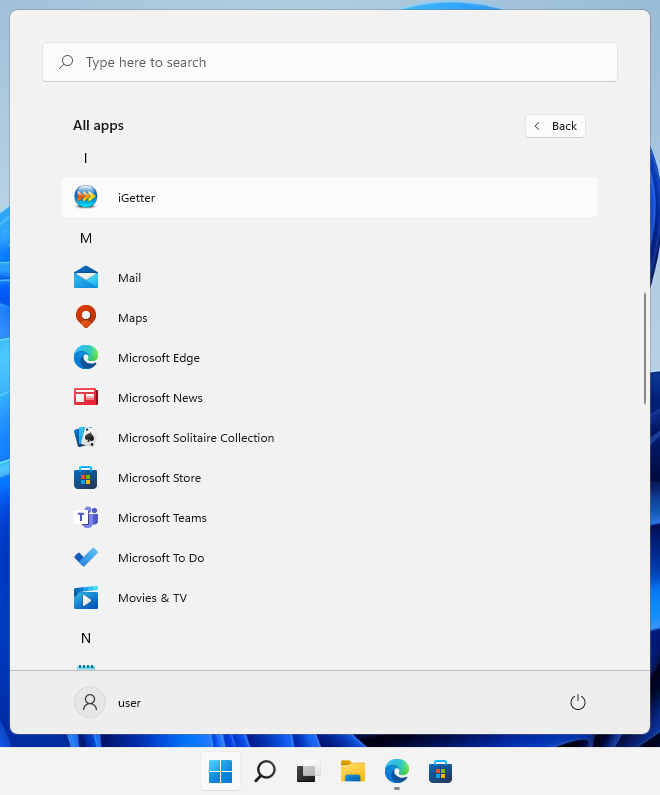
To start the iGetter app, after the installation (either from the installer or Microsoft Store), select Windows Start button and look for iGetter app in the list shown.
Note that iGetter is clean from viruses, so if some antivirus software reports a threat - it's a false positive. Please, verify the checksum shown above, which means that you've downloaded the official release of iGetter.
Since Oct. 31, 2022, iGetter application is digitally signed by a code signing certificate issued to: PRESENTA
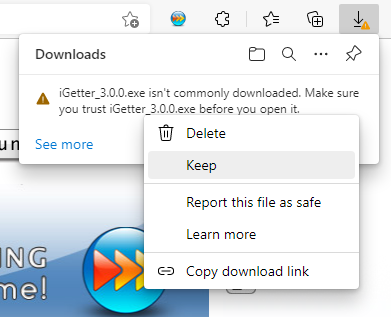
If you receive a message that app isn't commonly downloaded, then select the "Keep" command > "Show more" > "Keep anyway" link.
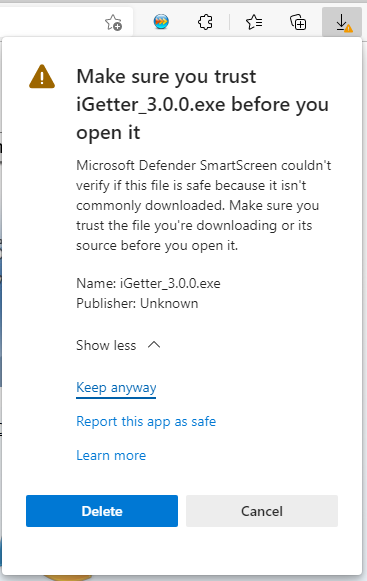
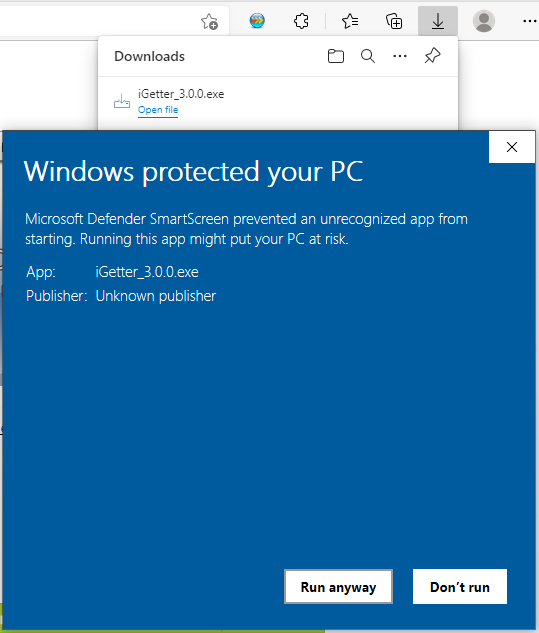
If you receive a message that Windows Defender Smartscreen prevented an unrecognized app from starting, then select "More info" link and click on "Run anyway" button.
iGetter Uninstaller:
If you want to uninstall iGetter, you can use the Windows Control Panel, select Programs and Features (under the Programs section) and click Uninstall a program.
Registration of iGetter
You may evaluate iGetter downloading the trial version. But if it suits your needs, you should consider purchasing it. iGetter will show a shareware reminder dialog at every startup during the evaluation. Registering iGetter will give us the opportunity to continue its development. All registered users will receive free support by email and will also get free updates in the major version (i.e. 2.x or 3.x versions).
Registered users of v2.x may upgrade free of charge to iGetter v3.x for Windows. This is an exception of our policy written above.
The registration fee may differ depending on your country or region.
To register iGetter choose the Register function from the Help menu, then click on the Purchase button.
To purchase a License other than a Single License, please visit our Web Store.
Localization
Users that contribute a new interface language for the Windows version of iGetter will receive a FREE personal license. Please, contact us for further instructions.
| Legacy Mac version | v2.9.7 |
|---|---|
| Crossover 22+ users (macOS Catalina 10.15+) |
Read |
| macOS 10.6 - 10.14 Mojave ( It'll not run on macOS 10.15+) |
Download |
| MD5: EE7A821048517422E54B16C39C200CEC | |
| System Requirements: | Read |
| Note to macOS 10.14+ users: | Read |
| Note to Chrome users: | Read |
| Note to Safari users: | Read |
| Note to Firefox v74+ users: | Read |